Answer Shelf

Tag: Technology

  • How Do Noise-Cancelling Headphones Block Sound?

    How Do Noise-Cancelling Headphones Block Sound?

    Noise-cancelling headphones have become essential for travelers, commuters, and anyone seeking peace in noisy environments. But how exactly do these sleek gadgets hush the chaos around us? The answer lies in a clever blend of sound physics and smart electronics.

    Understanding Sound and Noise

    Sound travels in waves – vibrations that move through the air and reach our ears. Unwanted or disruptive sounds are considered “noise.” To cancel out noise, headphones must first detect it and then generate sound waves that interfere with it.

    Passive vs. Active Noise Cancellation

    There are two main ways headphones block out noise:

    1. Passive Noise Cancellation (PNC):

    This is the physical method of blocking sound. Over-ear headphones with thick padding or in-ear earbuds with tight seals create a barrier that reduces external noise, particularly high-frequency sounds like chatter or clinking dishes.

    2. Active Noise Cancellation (ANC):

    This is the real magic. ANC uses built-in microphones to pick up ambient sounds like engine hum or air conditioning. The headphone’s processor then generates a new sound wave that is the exact opposite (or antiphase) of the incoming noise. When these two waves combine, they cancel each other out through a phenomenon called destructive interference.

    This process works best for consistent, low-frequency sounds. It’s why ANC headphones are great on airplanes but might not fully cancel unpredictable noises like shouting or sudden bangs.

    The Role of Technology

    Modern noise-cancelling headphones include advanced digital signal processors (DSPs) that react in real time. Some models even use adaptive algorithms that adjust based on your environment, like a quiet room versus a busy train station. Newer versions also allow “transparency mode,” which lets certain sounds (like voices or announcements) through, giving you more control over what you hear.

    Limitations of Noise Cancelling

    While effective, ANC isn’t perfect. It works best for steady noise and may slightly affect sound quality in some cases. Also, ANC requires power, usually a battery, so if it runs out, you’re left with just passive noise reduction.

    Why It Matters

    By reducing background noise, noise-cancelling headphones allow you to enjoy music at lower volumes, reduce listening fatigue, and stay focused. For frequent travelers or people working in noisy environments, they’re more than just a luxury, they’re a practical tool.

    Summary

    Noise-cancelling headphones use a combination of physical barriers and sound wave manipulation to block unwanted noise. With microphones, processors, and smart algorithms, they detect ambient sounds and produce opposing waves to cancel them out. This technology offers a more peaceful listening experience, especially in loud or repetitive environments.

  • Where Do Deleted Files Go?

    Where Do Deleted Files Go?

    Have you ever wondered what actually happens when you delete a file from your computer or phone? It might seem like the file vanishes into thin air, but the truth is a little more complicated and surprisingly fascinating.

    The First Stop: The Trash or Recycle Bin

    When you delete a file, it usually doesn’t disappear immediately. Instead, it moves to a temporary holding place like the Recycle Bin (Windows) or Trash (Mac). Think of it like throwing something into a wastebasket. It’s out of the way, but you can still easily retrieve it if you change your mind.

    As long as the file remains in the Recycle Bin or Trash, it still exists on your device in its original form. It’s only when you empty the bin that the file begins the next stage of its journey.

    After Emptying: Not Truly Gone Yet

    Even after you empty the Recycle Bin or Trash, the file isn’t completely erased right away. Instead, the system marks the space the file was occupying as available for new data. The file’s information remains on the hard drive until it is overwritten by something new.

    This is why specialized software can sometimes recover deleted files, because for a while, the digital traces are still there. However, the longer you wait and the more you use your device, the higher the chance that the file’s data will be permanently overwritten.

    What About Cloud Storage?

    Deleting a file from cloud services like Google Drive, iCloud, or Dropbox typically sends it to a trash folder for a certain period, often 30 days. During this time, you can still recover it if needed. After that grace period, the file is permanently deleted from the cloud provider’s servers.

    Secure Deletion: Making Sure It’s Gone

    For those who need to make sure deleted files can never be recovered, such as when dealing with sensitive information, there are secure deletion tools. These programs overwrite the file’s data multiple times, making it virtually impossible to retrieve.

    Built-in features like “Secure Empty Trash” (on older Mac systems) or third-party software like Eraser (for Windows) are good options for securely erasing files beyond recovery.

    In Summary

    When you delete a file, it first goes to a holding area like the Trash or Recycle Bin. Even after you empty it, the file lingers invisibly until it’s overwritten. This doesn’t apply if you’re using secure deletion tools, which can make the file disappear for good. So next time you hit “Delete,” keep in mind that in the digital world, “gone” is not always immediate.

  • Why Do Screens Look Weird When Filmed With a Camera?

    Why Do Screens Look Weird When Filmed With a Camera?

    Ever tried to take a photo or video of your TV, computer, or phone screen, only to end up with strange flickers, rolling lines, or weird color patterns? You’re not alone, and there’s a good reason this happens.

    It’s All About Refresh Rates

    Screens don’t display a single static image. Instead, they refresh the image many times per second, typically 60, 120, or even 240 times. This is known as the refresh rate, measured in hertz (Hz). But your camera has its own timing system, called the frame rate, and when those two rates don’t match, strange things happen.

    Mismatched Timings = Visual Glitches

    Think of a screen refreshing like blinking lights. If your camera catches the screen in between those blinks, you’ll see dark bands or flickers. It’s not that the screen is malfunctioning, it’s just that your camera is capturing moments your eyes can’t normally perceive.

    Moiré Patterns: The Weird Rainbow Effect

    Moiré patterns happen when two repetitive patterns overlap in just the wrong way. Many screens, especially LCDs and OLEDs, are made of tightly packed grids of pixels. Your camera sensor also has its own grid of pixels. When these two grids don’t line up perfectly, they create interference—producing swirling rainbow patterns or wavy lines on your recording.

    These moiré artifacts are more likely when:

    • You’re zoomed in on a high-resolution screen.
    • The screen’s pixel pitch (density) closely matches your camera sensor’s pixel arrangement.
    • You’re recording printed screens (like e-ink or certain LED signs).

    Rolling Shutter Effects

    Most phone and DSLR cameras use something called a rolling shutter, which records an image line by line from top to bottom. If the screen changes while the camera is still capturing, it creates rolling lines or partial images, especially noticeable with fast-refreshing LED or OLED screens.

    PWM and Brightness Flicker

    Some screens use a technique called pulse-width modulation (PWM) to control brightness. It rapidly turns pixels on and off to dim the display. This is invisible to the naked eye, but a camera might pick it up as flickering.

    Why It Varies by Device

    You might notice this effect more with certain screens or phones. That’s because:

    • Different screens have different refresh technologies.
    • Newer cameras with higher frame rates or global shutters can reduce or eliminate the effect.
    • Shooting under artificial lighting (like fluorescent bulbs) can compound the issue due to their own flickering behavior.

    How to Fix or Reduce It

    • Adjust your camera’s shutter speed or frame rate to better sync with the screen’s refresh rate (e.g., 1/60 sec for 60Hz screens).
    • Use manual settings if your device allows it, auto mode often makes things worse.
    • Try a different angle or distance, sometimes even a slight change helps.
    • Use screen recording software if you just want to capture what’s on the screen, glitch-free.

    So, the next time your camera struggles to capture a clean shot of a screen, just know it’s all about timing, and some invisible tech magic.

  • Why Do Planes Leave White Trails in the Sky?

    Why Do Planes Leave White Trails in the Sky?

    If you’ve ever looked up on a clear day and seen a plane soaring high above, you’ve probably noticed long, white lines stretching behind it. These streaks, often crisscrossing the sky, are called contrails—short for condensation trails. But what causes them, and why do some last longer than others?

    The Science Behind Contrails

    Contrails form when hot, humid exhaust from an airplane’s engines mixes with the much colder, lower-pressure air at high altitudes (typically above 26,000 feet). Jet engines release water vapor as part of the combustion process. When this vapor is released into the frigid atmosphere, it rapidly cools and condenses into tiny ice crystals, creating visible streaks in the sky.

    This process is similar to seeing your breath on a cold day: the moisture in your warm breath condenses when it hits cold air, forming a visible mist.

    Types of Contrails

    Contrails can behave differently depending on altitude, humidity, temperature, and wind. There are generally three types:

    1. Short-lived contrails: These disappear quickly after forming. They occur when the upper atmosphere is dry, causing the ice crystals to evaporate quickly.
    2. Persistent contrails: These linger and can spread out across the sky. This happens when the upper atmosphere is moist, allowing the ice crystals to remain stable for longer.
    3. Persistent spreading contrails: These can grow wider and resemble natural cirrus clouds, sometimes covering large areas of the sky over time.

    Do Contrails Affect the Weather?

    Contrails can contribute to climate change and influence weather patterns. Like natural clouds, they can trap heat in the Earth’s atmosphere. Some studies suggest that frequent contrail formation may have a small warming effect because they increase cloud cover, especially in busy flight corridors.

    Common Myths

    There’s a popular conspiracy theory that claims these trails are “chemtrails”—chemical agents deliberately sprayed by aircraft for secretive purposes. However, there’s no scientific evidence to support this. The white lines you see are simply a result of physics and atmospheric science.

    Why Don’t All Planes Leave Contrails?

    Not all planes create visible trails. Contrail formation depends on the atmospheric conditions at the plane’s cruising altitude. If the air isn’t cold or moist enough, the exhaust won’t condense into visible ice crystals.

    Final Thoughts

    Those white lines tracing across the sky are a fascinating mix of aviation and atmospheric science. They’re not pollution or chemicals, just ice crystals formed by the interaction of jet exhaust and the cold upper atmosphere. So next time you see a contrail, you’ll know you’re witnessing a natural high-altitude phenomenon.

  • How Does a Microwave Heat Food?

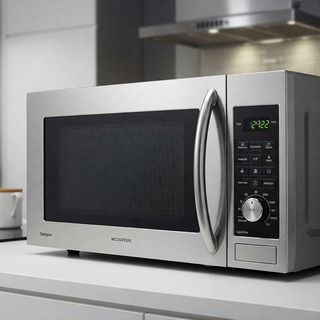
    How Does a Microwave Heat Food?

    Microwaves are a kitchen staple, known for their speed and convenience—but how exactly do they heat food?

    The Science Behind It

    Microwave ovens use electromagnetic waves called microwaves, which fall between radio waves and infrared radiation on the electromagnetic spectrum. These waves specifically target water, fat, and sugar molecules in food.

    When the microwave is turned on, it generates microwaves through a component called a magnetron. These waves penetrate the food and cause the polar molecules—especially water—to rapidly rotate back and forth. This molecular motion produces friction, which generates heat. The heat then spreads throughout the food, warming it up.

    Key Points

    • Microwaves excite water molecules: These molecules absorb the energy and start vibrating, creating heat.
    • Heating starts from the inside: Contrary to popular belief, microwaves often heat food from the outside in, but the energy can penetrate a few centimeters depending on the food’s composition.
    • Not all containers are microwave-safe: Metals reflect microwaves, while some plastics may melt or leach chemicals. Always use containers labeled “microwave-safe.”

    Why Does Food Heat Unevenly?

    Microwaves can create hot and cold spots due to the way the waves bounce around inside the oven. That’s why most microwaves have a turntable to rotate food, helping it cook more evenly.

    Final Thoughts

    Microwave ovens are an efficient way to heat food quickly by agitating water molecules with electromagnetic waves. While they don’t brown or crisp food like a conventional oven, their speed and simplicity make them ideal for reheating, defrosting, or even cooking certain dishes.

  • How Do Smoke Detectors Work?

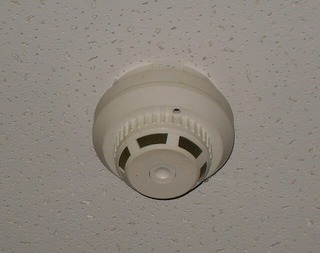
    How Do Smoke Detectors Work?

    Smoke detectors are small devices with a big job: saving lives by alerting us to smoke and potential fires. But how do they actually work? The answer depends on the type of smoke detector, but all of them share one goal—detect smoke quickly and sound the alarm.

    The Two Main Types of Smoke Detectors

    There are two main types of smoke detectors commonly used in homes:

    1. Ionization Smoke Detectors
    2. Photoelectric Smoke Detectors

    Each detects smoke in a different way.

    1. Ionization Smoke Detectors

    These are especially good at detecting fast-flaming fires, like a kitchen grease fire or a paper fire.

    How they work:

    • Inside the detector is a small amount of radioactive material between two charged plates.
    • This creates a steady flow of ions (electrically charged particles) between the plates.
    • When smoke enters the chamber, it disrupts the flow of ions.
    • The detector senses this change and sounds the alarm.

    2. Photoelectric Smoke Detectors

    These are more responsive to slow, smoldering fires, like a cigarette burning on a couch.

    How they work:

    • Inside is a light beam and a light sensor placed at an angle.
    • Under normal conditions, the light beam doesn’t hit the sensor.
    • When smoke enters the chamber, it scatters the light, redirecting it onto the sensor.
    • Once the sensor detects the light, the alarm goes off.

    Some Detectors Combine Both

    To offer the best protection, many modern smoke alarms are dual-sensor, combining ionization and photoelectric technology. This helps detect both fast and slow fires more reliably.

    Power Sources

    Smoke detectors can be:

    • Battery-operated
    • Hardwired into your home’s electrical system (with battery backup)
    • Smart detectors connected to Wi-Fi or smart home systems

    It’s important to test your smoke detectors monthly and replace batteries at least once a year (unless you have a sealed 10-year battery). Most detectors should be replaced every 10 years.

    Extra Features

    Some smoke detectors also detect:

    • Carbon monoxide (a deadly gas you can’t see or smell)
    • Heat
    • Connectivity to alert your phone if you’re not home

    Summary: Smoke detectors work by sensing smoke particles in the air using ionization or light-based technology. When smoke is detected, they trigger an alarm to warn you of potential danger—giving you valuable time to act.

  • How Do Airplanes Stay in the Sky?

    How Do Airplanes Stay in the Sky?

    Airplanes are massive machines made of metal—so how do they stay up in the sky instead of falling to the ground? The answer lies in physics, clever engineering, and four key forces that work together to make flight possible.

    The Four Forces of Flight

    To understand how airplanes stay in the air, you need to know about these four forces:

    1. Lift – The upward force that keeps the plane in the sky
    2. Weight (Gravity) – The downward pull of Earth
    3. Thrust – The forward push that moves the plane
    4. Drag – The resistance that slows the plane down

    Let’s break these down.

    1. Lift

    Lift is what holds an airplane up. It’s created by the wings. When a plane moves forward, air flows faster over the curved top of the wing and slower under the flat bottom. According to Bernoulli’s Principle, faster air creates lower pressure—so the higher pressure under the wing pushes it up. This upward force is called lift.

    2. Weight

    Gravity pulls everything toward Earth. An airplane’s weight works against lift. To fly, the plane must create enough lift to overcome its weight.

    3. Thrust

    Thrust is the force that moves the airplane forward. It’s produced by the engines or propellers. As the plane speeds up, more air flows over the wings, helping generate lift.

    4. Drag

    Drag is the air resistance that slows the plane down—like wind pushing against your hand when you hold it out of a moving car window. Airplane shapes are designed to reduce drag and help them fly more efficiently.

    How Do Pilots Control the Plane?

    Airplanes have control surfaces (like flaps and rudders) on the wings and tail. These help the pilot change the plane’s direction—up, down, or side to side.

    • Ailerons control roll (tilting the wings)
    • Elevators control pitch (up and down)
    • Rudder controls yaw (left and right)

    So, How Does It All Work Together?

    When a plane speeds down the runway, the engines create thrust. Air flows over the wings, generating lift. Once lift is greater than the plane’s weight, it takes off. In the air, the pilot balances lift, thrust, weight, and drag to keep the plane flying smoothly.


    Summary: Airplanes stay in the sky thanks to lift, which is created by the wings. This lift, combined with thrust from the engines, overcomes gravity and air resistance, allowing the plane to fly safely through the air.

  • How Do QR Codes Work?

    How Do QR Codes Work?

    QR codes are everywhere—from product packaging to restaurant menus and even bus stops. But have you ever wondered how they actually work? In this article, we’ll break down the basics of QR codes, how they store information, and how your phone reads them.

    What Is a QR Code?

    QR stands for Quick Response. A QR code is a type of matrix barcode (or two-dimensional barcode) first designed in 1994 for the automotive industry in Japan. Unlike traditional barcodes that store information in a series of vertical lines, QR codes store data in both horizontal and vertical directions, allowing them to hold much more information.

    A QR code typically looks like a square made up of black squares and dots arranged on a white background.

    How Do QR Codes Store Information?

    The black and white pattern inside a QR code encodes data using binary code (the language of 1s and 0s). Each tiny square in the grid is either black or white, representing a bit of information.

    Here’s how the structure is organized:

    • Position markers: The three big squares in the corners help scanners determine the orientation of the QR code.
    • Alignment markers: Smaller squares help with distortion correction if the code is on a curved or angled surface.
    • Timing patterns: These help the scanner determine the width of the data modules.
    • Data area: This part stores the actual information.
    • Error correction: QR codes include built-in error correction (like a digital spellchecker), so they still work even if part of the code is smudged or damaged.

    How Do Smartphones Read QR Codes?

    When you point your phone’s camera at a QR code, here’s what happens:

    1. Detection: The camera identifies the three position markers to figure out where the code starts and ends.
    2. Decoding: The phone’s software analyzes the pattern of black and white squares and translates them into binary.
    3. Interpretation: The binary data is then converted into readable information—like a URL, contact details, or text.

    Most modern smartphones can scan QR codes directly using the built-in camera app—no special app needed.

    What Can QR Codes Be Used For?

    QR codes are incredibly versatile. Common uses include:

    • Opening websites or app download links
    • Making contactless payments
    • Sharing Wi-Fi credentials
    • Viewing restaurant menus
    • Tracking packages
    • Logging into websites
    • Authenticating logins

    Are QR Codes Safe?

    QR codes themselves are not inherently dangerous—they just store data. However, malicious users can embed harmful links into QR codes that lead to phishing websites or install malware. Always be cautious about scanning codes from unknown or untrusted sources.

    Conclusion

    QR codes work by storing information in a pattern of squares that can be quickly scanned and decoded by a camera. Thanks to their speed, convenience, and versatility, they’ve become a popular tool in both business and everyday life.

    Whether you’re scanning one at a café or printing your own for a business card, knowing how they work helps you use them smarter and more safely.

  • Why Do Websites Ask About Cookies?

    Why Do Websites Ask About Cookies?

    If you’ve ever visited a website and been greeted by a pop-up asking you to accept cookies, you’re not alone. It’s a common experience on the web today—but what exactly are these cookies, and why do websites care if you accept them?

    What Are Cookies?

    Cookies are small files stored on your device by your web browser when you visit a website. These files contain bits of information about your interaction with the site—like your login status, preferences, and browsing activity.

    Why Do Websites Use Cookies?

    Websites use cookies for several purposes, such as:

    • User experience: Cookies remember your settings and preferences, like language or dark mode, so the site feels more personalized when you return.
    • Authentication: Cookies help websites keep you logged in or verify your identity across pages.
    • Analytics: Sites use cookies to collect data on how users interact with their content, which helps them improve layout, performance, and features.
    • Advertising: Many sites use third-party cookies to track user behavior across websites, allowing advertisers to deliver personalized ads based on browsing habits.

    Why Do They Ask for Permission?

    Due to privacy regulations—especially the General Data Protection Regulation (GDPR) in the European Union—websites are legally required to inform users about cookie use and, in many cases, obtain consent before storing or accessing cookies on a user’s device.

    These laws aim to:

    • Increase transparency
    • Give users more control over their personal data
    • Limit unnecessary data collection and tracking

    Do You Have to Accept Cookies?

    Not necessarily. Most websites give you the option to accept or reject different types of cookies, especially those used for advertising or tracking. However, rejecting certain cookies may limit site functionality—for example, you might have to log in every time or lose personalized settings.


    In Summary: Websites ask about cookies to comply with privacy laws and ensure users are aware of how their data might be used. While cookies enhance your browsing experience, it’s entirely up to you whether you allow them or not.

  • How Do Touchscreens Work?

    How Do Touchscreens Work?

    You tap your phone screen dozens—maybe hundreds—of times a day. But have you ever thought about how your device knows exactly where you touched it? Touchscreens are everywhere now, from smartphones to ATMs to coffee machines. Let’s break down how they actually work.

    The Two Main Types of Touchscreens

    There are several types of touchscreen technology, but the two most common ones you interact with every day are:

    • Resistive touchscreens
    • Capacitive touchscreens

    Each works in a slightly different way.

    Resistive Touchscreens: Pressure-Based

    Resistive touchscreens are made of two thin layers of material with a tiny gap between them. When you press the screen, the top layer pushes down and touches the bottom layer, completing a circuit. This tells the device where the screen was touched.

    Key features:

    • Can be used with anything (finger, stylus, glove)
    • Often found in older phones, ATMs, and industrial devices
    • Less sensitive and lower image quality compared to capacitive screens

    Capacitive Touchscreens: Finger-Sensitive

    Most modern smartphones and tablets use capacitive touchscreens. These screens work by detecting the electrical charge of your finger.

    Here’s how:

    • The screen is coated with a material that stores a small electrical charge.
    • When your finger touches the screen, it changes the local electrostatic field.
    • The device’s sensors pick up on this change and pinpoint the location of the touch.

    Capacitive screens are:

    • Highly responsive
    • Multi-touch capable (you can use pinch-to-zoom, for example)
    • Typically require skin contact or special conductive gloves/styluses

    What About Multi-Touch?

    Capacitive screens can detect multiple touch points at once. This allows for gestures like swiping, zooming, and rotating. Your phone constantly tracks and interprets these touchpoints in real-time using software algorithms.

    Why Don’t Touchscreens Work with Gloves?

    Standard gloves block the electrical signal your finger generates. That’s why you need either capacitive gloves (with conductive material in the fingertips) or a stylus that mimics your finger’s electrical signal to use them on capacitive screens.

    Are There Other Types?

    Yes, though less common:

    • Infrared touchscreens use beams of light and detect when something interrupts them.
    • Surface acoustic wave (SAW) touchscreens use sound waves to detect touches.
    • Optical touchscreens use cameras and sensors to track where the screen is touched.

    These are often found in kiosks, interactive displays, or larger touchscreen devices.

    Summary

    Touchscreens work by either detecting pressure (resistive) or changes in electrical charge (capacitive). While resistive screens rely on physical pressure, capacitive screens respond to the natural conductivity of your finger, which makes them faster, smoother, and more precise.

    Next time you unlock your phone or swipe through an app, you’ll know a little more about the tech behind the tap.